Ask the Right questions Before starting a UX/UI Design Project
Feb 10, 2026
•
10 min
•
May 26, 2026

Written by: Snezhana Ivankovich
Design doesn't start in Figma. It starts with a question.
This article discusses the questions you need to ask before starting a project to ensure the design truly addresses user and business needs.
Very often, product work starts the same way. A task comes in: “we need to quickly design a screen,” “add a new page,” “redesign the old flow.”
The wording sounds clear. Time is limited. The expectation is simple: build something and show it. The easiest reaction at this point is to open Figma and start designing. This is where problems usually begin. Not because the designer lacks skill, but because the task is understood only at the surface level. The team focuses on what to build, without understanding why it needs to exist. As a result, the output is often a visually clean interface that:
- does not solve a real user problem,
- does not move any meaningful business metric,
- is hard to justify beyond “it looks better.”
Such solutions are difficult to defend, scale poorly, and are almost impossible to improve in a systematic way. Design does not start in Figma. It starts with answering one fundamental question: why are we doing this? If this question is skipped, everything that follows becomes guesswork. Teams may spend hours refining colors, spacing, and typography, while users still:
- cannot find the right action,
- do not understand what is expected from them,
- fail to see value in the flow.
Visual quality cannot compensate for the lack of intent. From the user’s perspective, clarity and usefulness matter far more than aesthetics. The designer's role is to understand the "why." A designer's true value isn't in buttons and indents, but in their ability to answer questions:
- Why does this element exist?
- Who does it help?
- What problem does it solve?
If a designer doesn't ask questions, they don't know what they're doing and why. And therefore, they don't manage the process.

💡 Why is this important?
Imagine you've been invited on a date. You've dressed up, arrived, and are instead taken horseback riding. No matter how beautiful you are, it's all in vain. You simply didn't know where you were going. The same thing happens in UX. A beautiful UI won't save you if:
- the user doesn't understand what to do;
- can't find the right button;
- doesn't see the value.
👉 Beautiful ≠ works. The user doesn't need "beautiful." They need something clear and convenient.
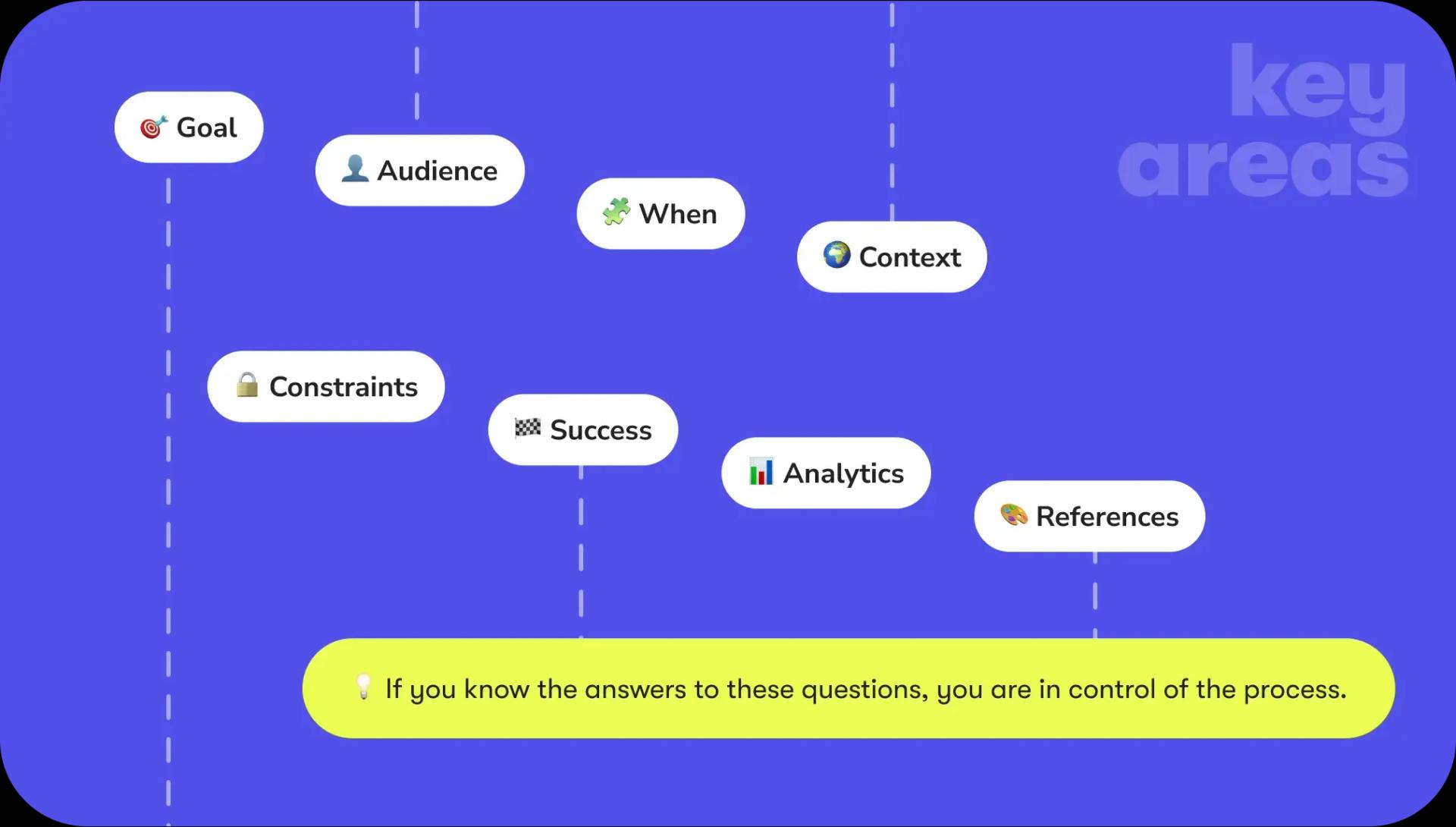
Key areas to clarify before starting a project
Before starting design work, it is helpful to consciously go through several core areas. This is not bureaucracy or extra process, but a practical way to reduce rework, align expectations, and ensure that design decisions are grounded in real needs.
1. Defining the goal 🎯
The first and most important step is to understand the goal. This means moving beyond the question of what needs to be built and focusing on what should change as a result.
Questions:
- What do we want to change in user behavior?
- What will bring real results to the business?
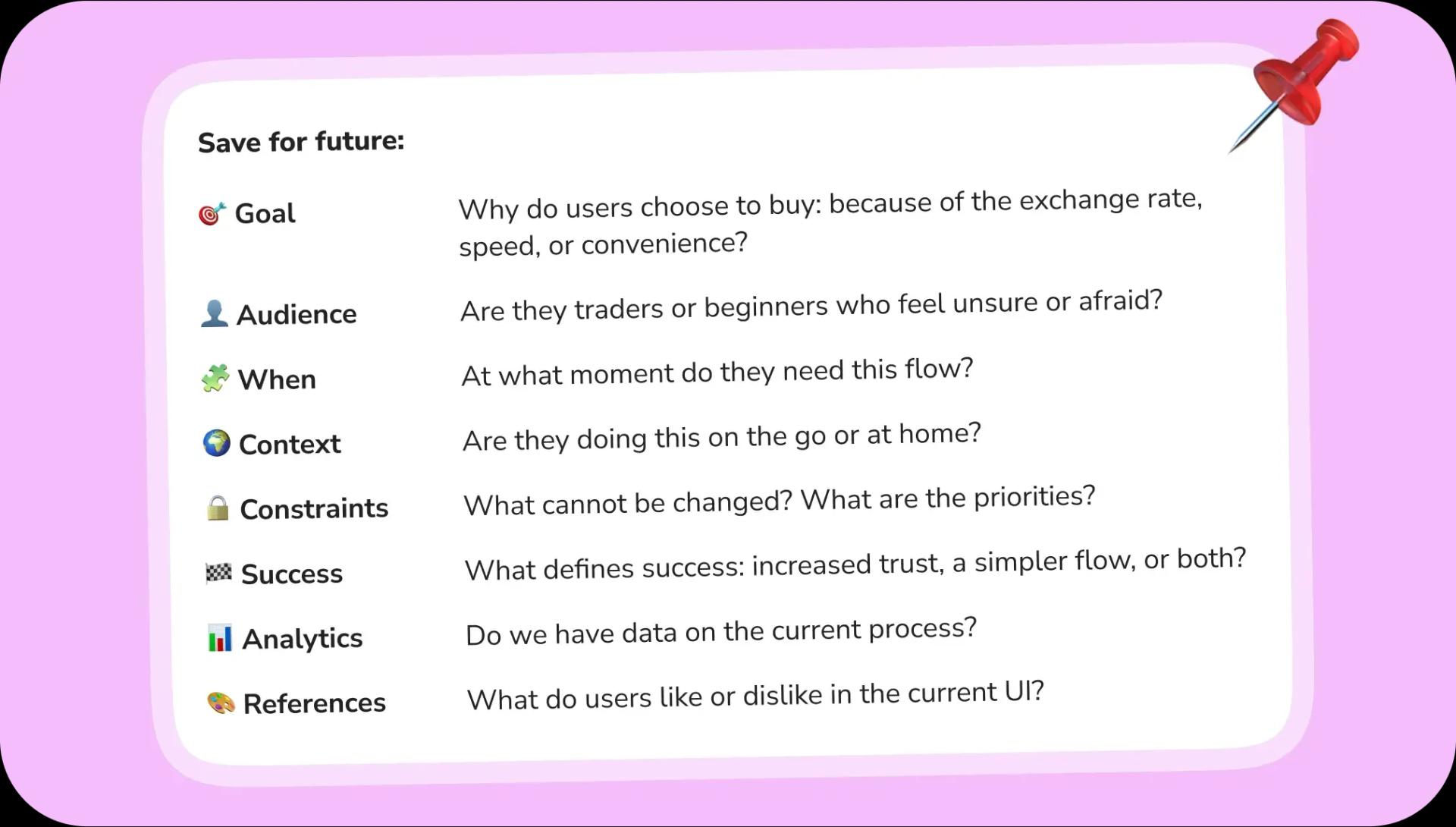
- Why do users choose us: because of the exchange rate, speed, convenience?
Often, the request "create a screen" hides a specific micro-problem: drop in conversion, mistrust, complicated onboarding, churn after KYC. If this root problem is not identified early, the final design may look complete while missing its actual purpose.
2. Understanding the audience 👤
Design decisions should be based on a clear understanding of who the users are. Products are rarely used by a single homogeneous group, and assumptions about “average users” often lead to mismatched experiences.
Questions:
- Are the users beginners or experienced?
- What causes hesitation, fear, or doubt?
- What language and terminology do they use themselves?
Without a clear audience definition, interfaces may feel either overly complex or overly simplistic. Terminology, explanations, and interaction patterns may fail to match users’ expectations, increasing confusion and friction.
Without understanding the audience, UX decisions are based on assumptions rather than insight.
3. Knowing when the user enters the flow 🧩
User journeys do not start at a single screen. They arrive with prior knowledge, expectations, and context shaped by previous steps and external sources.
Questions:
- Where was the user before reaching this screen?
- What do they already know or expect?
- What is the next step they want to reach?
Ignoring the entry point often leads to unnecessary onboarding or missing explanations. Understanding the moment of entry helps avoid repetition and ensures continuity across the experience. Designing without considering where the user comes from breaks the flow and increases cognitive load.
4. Considering the usage context 🌍
The physical and situational context in which a user interacts with a product directly affects usability. Time, device, and environment all shape how users perceive and process information.
Questions:
- Is the user at home or on the move?
- Are they using a mobile device or desktop?
- Do they have time to read or only time to act?
Context determines text length, number of steps, and interaction complexity. Designs that ignore context may work in theory but fail in real-life usage scenarios. Ignoring context leads to interfaces that are technically correct but impractical.
5. Clarifying constraints and priorities 🔒
Every project has constraints, whether technical, legal, or organizational. Understanding them early helps set realistic expectations and focus efforts where they matter most.
Questions:
- What cannot be changed?
- Which deadlines are fixed?
- Which scenarios are critical and which are secondary?
Unclear constraints often result in wasted effort and repeated rework. Clear priorities help designers allocate time effectively and avoid unnecessary exploration. Knowing the constraints allows design decisions to be both realistic and strategic.
6. Defining success criteria 🏁
A design solution cannot be evaluated without a clear definition of success. Metrics provide direction and help determine whether the design achieves its intended impact.
Questions:
- How will we know if the solution worked?
- Which metrics indicate success?
- Is success measured by retention, conversion, trust, or revenue?
Without defined success criteria, design improvements remain subjective. Clear metrics align design efforts with measurable outcomes. If success is not defined, the impact of design cannot be measured.
7. Using analytics and existing data 📊
Existing products usually have data that reveals how users actually behave. Analytics provide evidence that helps prioritize design decisions and avoid repeating past mistakes.
Questions:
- Where do users drop off or struggle?
- Which features are underused or ignored?
- What patterns appear in existing data?
Design decisions grounded in data are more likely to address real problems. Analytics can reveal when effort is being spent on low-impact features. Design without analytics risks solving problems that do not exist.
Additional areas that are often missed 🎨
Some factors significantly influence the design process but are frequently underestimated. One of them is alignment on references and anti-references. It helps to understand what the client likes and what they want to avoid. Without this alignment, teams often fall into cycles of contradictory feedback.
Another important aspect is decision ownership. Knowing who makes the final decision saves time, reduces uncertainty, and makes communication more efficient.
Reflection and Personal Checklist
At the end of a project, it is useful to reflect on the process. Identifying moments when important details were not clarified in time helps improve future work. Recognizing which questions are most often forgotten allows designers to build a personal checklist that strengthens decision-making and consistency.
Good UX does not emerge from visual quality alone. It is the result of clear intent, well-defined goals, and a deep understanding of user needs. And that understanding always begins with asking the right questions.
Similar articles
Discover more with our related articles section. Stay informed about mobile app development, event organizing, and more.

How to build a FinTech app: Looking forward to 2026
In this FinTech app development guide, you will receive real-world insights from Chili Labs PM’s. Architecture, compliance, UX/UI design, testing,...

The Near Future of Apps: Personal, “Real,” and (Mostly) Hybrid
Predicting the future of apps is risky—but imagining it clearly helps us prepare. Here’s where things seem to be heading...